
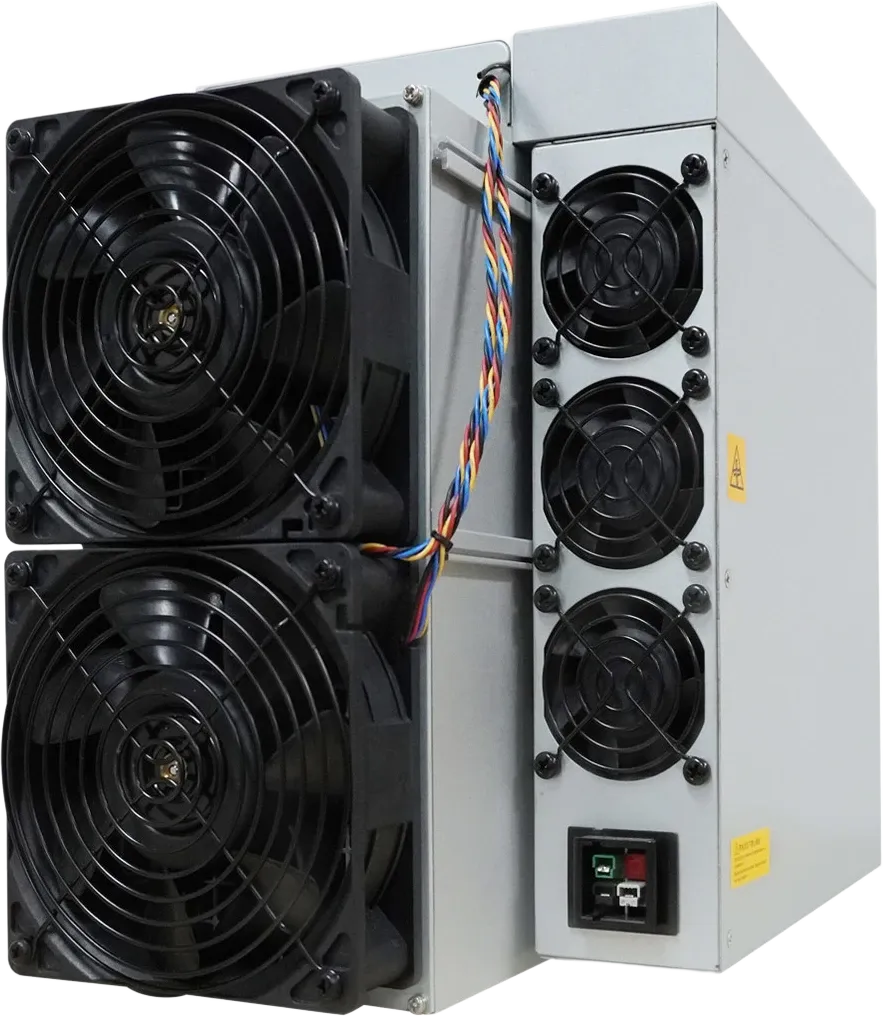
How to Mine Kaspa: ASIC Hardware, Pools and Setup
Short answer: Kaspa mining today means running a kHeavyHash ASIC miner connected to a mining pool, with payouts sent to a Kaspa wallet you control. Set up a wallet first, then pick a pool. Connect the miner to power and your network, enter the pool’s address and your worker name, and confirm the pool sees your shares. Full-size machines such as the Antminer KS7 need a dedicated circuit and a space where noise is not a problem. Small units such as the IceRiver KS0 Ultra (listed at 35 dB, 100 W) can run at home.
How Kaspa mining works
Before getting into how to mine Kaspa, it helps to know what the network asks of your hardware. Kaspa is a proof-of-work network, like Bitcoin, but it is built differently in two ways that matter to miners.
- Algorithm: kHeavyHash. Kaspa’s proof of work combines standard hashing with a matrix-multiplication step (a “heavy hash”). You can see it in the consensus code of the official Kaspa node software. A miner must be built for kHeavyHash. Bitcoin (SHA-256) and Litecoin (Scrypt) machines cannot mine Kaspa.
- Structure: a blockDAG using GHOSTDAG. Most blockchains keep one chain and throw away competing blocks. Kaspa keeps blocks that were created in parallel and orders them with the GHOSTDAG protocol, an efficient, greedy version of the PHANTOM consensus protocol described in the PHANTOM research paper. Since the Crescendo hard fork in May 2025, the network targets 10 blocks per second.
Fast blocks mean a pool’s reported earnings move in small, frequent steps rather than in large jumps. They do not change the basic rule of mining: your share of the rewards follows your share of the total network hashrate.
Can you still mine Kaspa with a GPU?
Technically yes, but it is no longer practical. kHeavyHash can still run on CPUs and GPUs. However, dedicated kHeavyHash ASICs now supply most of the network’s hashrate, and a graphics card produces a tiny fraction of an ASIC’s output for comparable power. That is why this guide focuses on ASIC hardware. If you are new to the idea, read what an ASIC miner is.
Step 1: set up a Kaspa wallet
Your mining rewards go to a Kaspa address, so create one before you configure anything else.
- Use an official or long-established wallet. The Kaspa project lists wallet types (mobile, desktop and hardware) on its official wallet page. Check any wallet against kaspa.org before you install it, because fake wallet apps are a common scam.
- Write down the recovery phrase and store it offline. Anyone who has it can take your coins.
- Send a small test transaction before relying on a new address, and check the first and last characters of the address every time you paste it.
Step 2: choose a pool or solo mining
| Pool mining | Solo mining | |
|---|---|---|
| How rewards arrive | Small, regular payouts based on your share of the pool’s work | Only when your own miner finds a block |
| Predictability | Steady, minus the pool fee | Highly variable; small miners may wait a long time |
| Setup | Enter a pool URL and worker name | Run your own Kaspa node and a stratum bridge |
| Best for | Most home and small-scale miners | Large operators or people experimenting |
When comparing pools, look at the fee, the payout method and the minimum payout threshold. Also check where its servers are located, because a nearby server reduces latency.
Step 3: set up your Kaspa ASIC miner
- Power. Check the input voltage and power draw on the product page and in the manual. Full-size units draw more than 3,000 W and need a dedicated 200-240 V circuit. Home-class units draw far less. Have an electrician confirm your circuit can handle the continuous load.
- Network. Connect the miner to your router with an Ethernet cable. Find its IP address in your router’s device list or with the manufacturer’s IP-finder tool.
- Log in. Open the IP address in a web browser on the same network and sign in with the default credentials from the manual. Then change the password right away.
- Pool URL. In the miner’s pool settings, enter the stratum address and port from your pool’s “getting started” page. Add a backup pool URL if the pool provides one.
- Worker name. Depending on the pool, this is your Kaspa wallet address or your pool username, usually followed by a dot and a label such as “.rig1”. Use the password the pool specifies (often just “x”).
- Confirm. Save, let the miner restart, and check that the pool dashboard shows your worker with accepted shares within a few minutes.
Kaspa miners compared: all 13 models we list
Every kHeavyHash miner in our Kaspa miners category is below, sorted by efficiency. Hashrate, power and noise are the figures on each product page, taken from the manufacturer data. Efficiency is that power divided by that hashrate, so a lower number means less electricity for the same work. Full-size means 3,000 W or more, home-class means 600 W or less, and mid-size is in between. Current prices are on the product pages.
| Miner | Size | Hashrate | Power | Efficiency | Listed noise |
|---|---|---|---|---|---|
| Antminer KS7 | Full-size | 45 TH/s | 3,465 W | 77 J/TH | 75 dB |
| Antminer KS7 | Full-size | 40 TH/s | 3,080 W | 77 J/TH | 76 dB |
| IceRiver KS7 | Full-size | 30 TH/s | 3,500 W | 117 J/TH | 75 dB |
| IceRiver KS7 Lite | Home-class | 4.2 TH/s | 500 W | 119 J/TH | 50 dB |
| Antminer KS5 Pro | Full-size | 21 TH/s | 3,150 W | 150 J/TH | not listed |
| Antminer KS5 | Full-size | 20 TH/s | 3,050 W | 152 J/TH | 75 dB |
| IceRiver KS5M | Full-size | 15 TH/s | 3,400 W | 227 J/TH | 75 dB |
| IceRiver KS2 Lite | Home-class | 2 TH/s | 500 W | 250 J/TH | 45 dB |
| IceRiver KS0 Ultra | Home-class | 400 GH/s | 100 W | 250 J/TH | 35 dB |
| IceRiver KS5L | Full-size | 12 TH/s | 3,400 W | 283 J/TH | 75 dB |
| Goldshell E-KA1M | Mid-size | 5.5 TH/s | 1,800 W | 327 J/TH | not listed |
| Goldshell KA-BOX Pro | Home-class | 1.6 TH/s | 600 W | 375 J/TH | not listed |
| IceRiver KS3M | Full-size | 6 TH/s | 3,400 W | 567 J/TH | not listed |
Full-size miners
The Antminer KS7 is the most efficient model in this table at 77 J/TH, so it uses the least electricity for each unit of work. The Antminer KS5 and KS5 Pro use about twice the energy per TH/s, and the IceRiver KS5L and KS5M sit between them. All full-size units are air-cooled and are listed at about 75 dB, which is too loud for living spaces. Plan for a garage, outbuilding or dedicated room with good airflow, and check the input voltage on the product page: these units need a 200 to 240 V circuit.
Home-class miners
The IceRiver KS0 Ultra (100 W, 35 dB), KS2 Lite (500 W, 45 dB) and KS7 Lite (500 W, 50 dB), and the Goldshell KA-BOX Pro (600 W), are built for homes. They contribute far less hashrate, but they draw modest power and the IceRiver units are listed at far lower noise. They are a reasonable way to learn how pools, wallets and miner dashboards work. More small machines are in our home and solo miners category, and the full IceRiver range is on the IceRiver brand page.
Running costs and expectations
Your results depend on the KAS price, total network hashrate, pool fees and, above all, your electricity price. These figures change daily and are published by block explorers, pool dashboards and market data sites. Use current data rather than older estimates, and test your own numbers with our ASIC miner profitability calculator. Bitminers does not guarantee mining profitability. To compare Kaspa hardware with miners for other coins, see Best ASIC Miners.
Frequently asked questions
What algorithm does Kaspa use?
Kaspa uses kHeavyHash, a proof-of-work algorithm that adds a matrix-multiplication step to standard hashing. You need a miner built specifically for kHeavyHash.
Can I mine Kaspa on my computer?
Not in a meaningful way. CPUs and GPUs can still run kHeavyHash, but ASIC miners now dominate the network, so a home computer’s share would be negligible.
Which Kaspa miner has the lowest listed noise?
Among the models above, the IceRiver KS0 Ultra is listed at 35 dB, the KS2 Lite at 45 dB and the KS7 Lite at 50 dB. Full-size miners are listed at about 75 dB.
Which Kaspa miner is the most efficient?
Of the 13 models we list, the Antminer KS7 has the lowest energy per unit of work at 77 J/TH, based on the listed hashrate and power. The home-class IceRiver KS7 Lite is close to the full-size IceRiver KS7 at about 119 J/TH against 117 J/TH, at a fraction of the power draw.
How much power does a Kaspa miner use?
It ranges from 100 W for the IceRiver KS0 Ultra to 3,500 W for the IceRiver KS7. Full-size Kaspa miners draw 3,000 to 3,500 W and need a 200 to 240 V circuit; home-class units run from a standard outlet.
Do I need a pool to mine Kaspa?
No, but most home miners use one. Solo mining requires running your own node, and small miners can go a long time without finding a block.