
Dash Mining Calculator (X11): How to Estimate DASH per Day
Short answer: A Dash mining calculator multiplies six numbers you supply (X11 hashrate in GH/s, power draw, electricity price, DASH per GH/s per day, the DASH price and your pool fee) into an estimate of the DASH a machine mines in a day and what that day’s electricity costs.
The calculator below fetches no live network data. Its results are only as good as the inputs you enter, so treat each result as a snapshot, not a forecast.
This calculator only multiplies the numbers you enter. It does not fetch live network data, and real results change constantly with network difficulty, block rewards, DASH price and fees.
How do you use the calculator?
Fill in each field, then read the results. You may also see this called a Dash crypto calculator or an X11 mining calculator. Bitminers does not guarantee mining profitability.
What goes in each input?
- Hashrate (GH/s). Use the listed rating, or the 24-hour average your pool reports once the miner is running. A miner rated in TH/s needs converting: 1.77 TH/s is 1,770 GH/s.
- Power (W). Use the listed power draw, or measure at the wall with a power meter after the machine has warmed up.
- Electricity price ($/kWh). Use your all-in rate: the total bill, including delivery charges and taxes, divided by the kWh billed.
- DASH per GH/s per day. Look this up every time you run the calculator. Most Dash pools show an estimate on their dashboard, and mining-statistics sites publish one for X11. Check the unit: multiply a per-MH/s figure by 1,000, or divide a per-TH/s figure by 1,000.
- DASH price (USD). Use a current price from an exchange or price tracker you trust.
- Pool fee (%). Read it from your pool’s fee page. See how mining pools work for how payout methods affect fees.
What does the calculator give you?
- DASH per day after the pool fee
- Value of that DASH at the price you entered
- Daily electricity cost, with the kWh used per day
- Daily result after electricity
- Efficiency in joules per gigahash (J/GH)
- Break-even electricity price: the highest price per kWh at which a day’s DASH covers that day’s electricity, at your inputs
What is Dash and why does it use X11?
Dash (DASH) is a proof-of-work cryptocurrency whose first block was mined on January 18, 2014. According to the Dash documentation, its proof of work uses X11, a chained hashing algorithm that runs a sequence of eleven hash functions. X11 was intended to make ASICs much harder to build. X11 ASICs exist anyway, and the documentation says they make up a significant portion of the network hashrate.
Dash also runs masternodes, which are servers that provide services such as InstantSend and ChainLocks. That matters for miners because the block subsidy is shared. The Dash documentation describes the current allocation as 20% to the miner, 60% to masternodes and 20% to the governance budget. A pool’s DASH per GH/s per day estimate already reflects only the miner’s share. For how proof-of-work coins compare, see our list of mineable coins.
X11 hashrate units: what do GH/s, TH/s and J/GH mean?
X11 machines are rated in hashes per second, using the usual prefixes:
- 1 GH/s = 1,000 MH/s
- 1 TH/s = 1,000 GH/s
- Efficiency (J/GH) = power in watts ÷ hashrate in GH/s
The calculator works in GH/s, so enter 1.77 TH/s as 1,770. X11 hashes are not comparable with SHA-256 or kHeavyHash hashes, so compare X11 machines only with other X11 machines. Use our hashrate converter for unit changes, and read hashrate, terahash and J/TH explained for more on efficiency.
What formulas does the calculator use?
- DASH per day = hashrate (GH/s) × DASH per GH/s per day × (1 − pool fee ÷ 100)
- Value of that DASH = DASH per day × DASH price
- kWh per day = power (W) ÷ 1,000 × 24
- Daily electricity cost = kWh per day × electricity price
- Daily result after electricity = value of that DASH − daily electricity cost
- Efficiency (J/GH) = power (W) ÷ hashrate (GH/s)
- Break-even electricity price = value of that DASH ÷ kWh per day
Worked example: Antminer D9
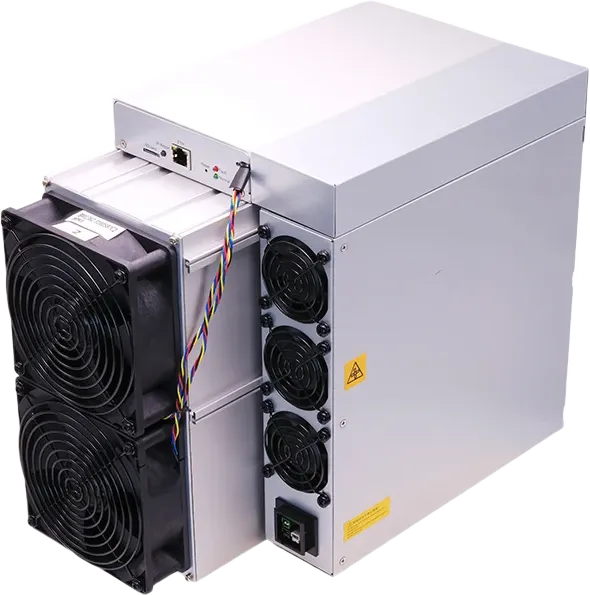
The Antminer D9 is the X11 miner in our catalog. It is listed at 1.77 TH/s (1,770 GH/s), 2,839 W, 1.60 J/GH and 70 dB. The Bitminers price at the time of writing (October 5, 2026) is $1,198.00. The hashrate and power below come from that listing. The DASH figures are hypothetical round numbers chosen to show the arithmetic. They are example inputs, not current network data or a current DASH price.
| Input | Value |
|---|---|
| Hashrate | 1,770 GH/s (listed) |
| Power | 2,839 W (listed) |
| Electricity price | $0.10 per kWh (example input) |
| DASH per GH/s per day | 0.0001 DASH (example input) |
| DASH price | $40.00 (example input) |
| Pool fee | 1% (example input) |
- DASH per day: 1,770 × 0.0001 × 0.99 = 0.1752 DASH
- Value at the example price: 0.1752 × $40.00 = $7.01
- Electricity: 2,839 ÷ 1,000 × 24 = 68.1 kWh, × $0.10 = $6.81
- Daily result after electricity: $7.01 − $6.81 = $0.20
- Efficiency: 2,839 ÷ 1,770 = 1.60 J/GH
- Break-even electricity price: $7.01 ÷ 68.1 kWh = about $0.103 per kWh
Now change one input. If the example DASH price drops from $40.00 to $35.00, the same 0.1752 DASH is worth $6.13, and the daily result after electricity becomes −$0.68. A small change can flip the sign, so re-run the numbers with fresh data each time rather than relying on an old estimate.
What changes the result?
- Network hashrate and difficulty. DASH per GH/s per day is roughly the DASH paid to miners each day divided by the total X11 hashrate. When more machines join, each GH/s gets a smaller share. Block explorers and pool dashboards publish network hashrate and difficulty.
- DASH price. This changes the dollar value of the same amount of DASH and moves through the day.
- Issuance rules. The block subsidy and how it is split are set by the Dash protocol and can change through network upgrades.
- Fees. Pool fees, minimum payouts and withdrawal fees all reduce what reaches your wallet.
- Power cost and uptime. The calculator assumes 24 hours a day. For 95% uptime, multiply both hashrate and power by 0.95. Add fans or air conditioning that run only because of the miner to the power field.
To compare an X11 machine with SHA-256, Scrypt or other miners, use our ASIC miner profitability calculator. For Kaspa, use the Kaspa mining calculator, which works the same way in TH/s.
How do you mine Dash with an X11 miner?
- Prepare power. Bitmain specifies 200-240 V AC for the D9. At 240 V, 2,839 W is about 11.8 A of continuous load, so have an electrician size a dedicated 240 V circuit.
- Pick a location. At a listed 70 dB, with nearly all of its power leaving as heat, the D9 belongs in a garage, outbuilding or server room with good exhaust airflow.
- Set up a wallet and a pool. Create a Dash wallet, store the recovery phrase offline, and choose an X11 pool.
- Configure the miner. Connect it by Ethernet, open its web interface, and enter the pool’s stratum address, your worker name and password. Then confirm the hashrate on the pool dashboard.
The D9 sits in our other ASIC miners category. For how Bitmain names its series, see Antminer models explained.
Frequently asked questions
What algorithm does Dash use?
X11, a proof-of-work algorithm that chains eleven hash functions in sequence.
Where do I find DASH per GH/s per day?
On your pool’s dashboard or an X11 mining-statistics site. Confirm the figure is per GH/s, and look it up again every time you use the calculator.
How do I enter a TH/s miner like the Antminer D9?
Multiply by 1,000. The D9’s 1.77 TH/s becomes 1,770 GH/s, and with 2,839 W the efficiency line shows 1.60 J/GH.
Why does my pool show less DASH than the calculator?
Usually one of these:
- lower real hashrate
- downtime
- rejected shares
- payout-method differences
- a DASH per GH/s per day figure that has changed since you entered it
How much of a Dash block goes to the miner?
A fifth of the subsidy, with 60% going to masternodes and the last 20% to the governance budget.
How do I model less than full uptime?
Scale both the hashrate and the power you enter by your uptime share, such as 0.95 for 95%.
What circuit does the Antminer D9 need?
A dedicated 240 V circuit sized by an electrician, within the 200-240 V AC range Bitmain specifies.